These days, email cyberattacks are stronger than ever. A wide range of businesses and organizations who rely on email communication daily should prioritize robust security measures. In this article, we’ll explore the essence of email protection software and overview the best solutions:
- Proofpoint Email Protection – Best for top-of-the-line threat protection;
- Barracuda Email Security Gateway – Best for integrated cloud-based solutions;
- Check Point Harmony Email & Collaboration – Best for comprehensive email security and incident response;
- Microsoft Defender for Office 365 – Best for cloud email security;
- Egress Intelligent Email Security – Best for preventing insider risk.
5 Common Email Cyberattacks
Email security threats prowl relentless, ready to pounce on any corporation regardless of stature. Hackers treat business email as the prime gateway, unleashing phishing lures, account takeovers, spam floods that slip past weak gates.
One sloppy hit and operations grind to dust overnight. We think the vulnerability stays glaring. Honestly, no outfit skates free when crooks impersonate bosses or dangle poisoned attachments.
According to our analysts, most breaches trace straight back to compromised inboxes leaking credentials, funds, secrets without mercy.
Fortify hard. No shortcuts.
1.Phishing
The primary breach vector remains the deceptive inbox missive, the phishing email, a crafted illusion of legitimacy mimicking trusted sources to filch private personal data, like passwords, credit card details, or login credentials. That’s the whole game, right there.
We think the landscape is soggy with outdated defenses. Honestly, the human element is the stubborn hinge on the door. Maybe it’s time for a smarter lock.
2.Computer Viruses
It’s the kind of malware that copies itself and spreads by altering other computer programs and adding their code. A malicious payload, once unleashed, wreaks a special brand of havoc. It can fry your hardware, scorch your data archives, and spill secrets like a tipped-over glass. The downtime alone will bleed you dry. The most common vector for this digital pestilence remains the humble email, a poisoned envelope waiting for a single curious click on a link or an attachment that seems legit.
We think it’s a con. The whole game. According to our analysts, the interaction is the trigger, the user’s moment of trust the final, failing lock. Maybe that’s the thing to fix.
3.Unauthorized Access to Communications
Gmail and other popular messaging providers don’t fully encrypt your emails, which poses a significant risk for businesses. That means the content of the sent or inbox messages may become vulnerable to third parties. Most hackers find it easy to gain access to that information.
4.Business Email Compromise
BEC is another widely used scam where intruders pretend to be high-level business partners. These executors make great efforts to deceive employees into making fraudulent transactions or giving away confidential data. The most dangerous thing here is that they often spend time gathering information to craft compelling messages.
5.DDoS Attacks
In DDoS email attacks, the invading party uses many computers to send tons of email traffic to the target server. Typically, this is called creating a botnet. This makes it hard for real users to use their email accounts or send/receive emails.
Why Is Email Security Important?
Email security matters because your inbox isn’t a sanctuary, it’s the main gate. Every message a potential chink in the armor. Forgetting that fact, getting lazy about it, leaves you and the whole organization wide open to the grifters and digital pickpockets waiting for a single careless click. We think of it like this: that locked front door doesn’t mean a thing if you’ve left a window hanging open for anyone to crawl through. According to our analysts, the real disruption, the kind that tanks businesses and upends lives, doesn’t always come from a sophisticated technical breach. Honestly, it often starts with something simpler, quieter. A convincing fake. A stolen password. A moment of trust that shouldn’t have been given.
“The first step is to have a cybersecurity strategy that understands that there are some fundamental principles you have to adhere to, and you need to prepare for the fact that you will be breached.”
Satya Nadella, CEO of Microsoft
Investing in fully-featured email security is absolutely essential for any organization that wants to protect its valuable information. A robust system safeguards internal data and ensures the security of communications among colleagues, clients, and across different devices. Implementing tools to manage workflow and streamline processes can further enhance email security by minimizing human errors and ensuring proper protocols are followed. Email security software covers the following essential aspects:
- Securing gateways;
- Safeguarding email systems;
- Monitoring user behavior;
- Ensuring the safety of email content.
All in all, email security solutions are super important because they keep both incoming messages and connections to devices safe, stopping malware and viruses. By reducing risks and making security gateways work well, they keep confidential information safe and give peace of mind in today’s digital world.
Ensuring email security isn’t just about erecting digital walls; it’s a game of cyber chess, anticipating every move of the opponent. That’s where trace analytics comes into play – a powerful tool often overlooked in the grand scheme of cybersecurity.
This advanced technology enables organizations to gain a deep understanding of the origins and pathways taken by potentially malicious emails, empowering them to proactively identify and neutralize threats before they wreak havoc.
By harnessing the power of sophisticated algorithms and vast data repositories, trace analytics solutions untangle the intricate web of connections, meticulously tracing email journeys across multiple servers and networks.
Trending Features in Modern Email Protection Software
The email security gateway is the core principle of any protection software. It works to block cyberattacks, sift through unwanted emails, and safeguard private messages. Here are some common features present in email protection software.
Malware Detection and Antivirus Scanning
Any harmful software gets detected using techniques like signature-based detection, heuristic analysis, and machine learning. At the same time, antivirus software checks files, emails, and attachments for threat signatures and unusual behavior. This combination helps identify and prevent potential problems from harming the system.
These features integrated into email security solutions guarantee all-around defense against malicious activity via corporation e-communication. Through real-time email scanning, these systems proactively detect and eliminate security risks, including malware attachments and phishing efforts. Regular updates and interaction with threat intelligence further enhance these measures, providing robust cybersecurity for devices and data.
Anti-Phishing Protection

Scammers may request that you transfer funds to a different bank account and then give you detailed instructions on how to do it. Individuals who are not very familiar with the company may be tricked by this tactic. That especially comes true if the email appears to come from someone who seems legitimate, such as the actual business owner.
Sophisticated algorithms allow instant recognition and repelling scam attempts and fraudulent emails that trick consumers into divulging private information. They can outright block phishing messages from getting into a company’s email system in the first place. Basically, they allow businesses to stop attempted web-based assaults before they endanger the organization and its workers.
Spam Filtering
Inboxes are flooded with marketing notifications, which can clutter them with unnecessary messages. It may get even worse, including harmful links or trying to obtain sensitive information through phishing. A spam filter in a high-quality email security solution can manage this by sorting these messages into a separate folder.
By sorting out unwanted content, the likelihood of users being duped by scams or downloading harmful material is minimized. This process also enhances productivity by decluttering inboxes, ensuring timely visibility of essential message content. Furthermore, effective detection reduces the risk of being flagged for spam-related activities.
Email Encryption
The Transport Layer Security (TLS), by default, doesn’t secure emails, leading to the potential interception of sensitive information. Malware can exploit this vulnerability to continuously steal data. Therefore, organizations need to evaluate those risks and adopt enterprise email encryption for all communications.
Email encryption allows for verification of a message’s authenticity to stop it from being accessed by someone unintended or unauthorized. Its content becomes transformed from easily readable plain words into cryptic text. This is highly important when sending messages between coworkers and business partners.

Data Loss Prevention
Malicious actors or unauthorized individuals may cause email data loss. The first can steal or destroy data by breaching networks, and the latter may unintentionally or deliberately disclose sensitive information. Both these scenarios pose significant challenges for security teams.
Email data loss risks often involve human error despite security training efforts. Social engineering attacks target human vulnerabilities and are hard for traditional email security systems to tackle. Such incidents can lead to compromised sensitive data like:
- Payment card details;
- Login credentials;
- Innovative creations;
- Financial data;
- Medical records.
When vital information is found, this feature can perform several tasks. The list includes stopping the email, coding the content, telling administrators, or using data protection rules to stop leaks. This rigorous approach to valuable data helps companies follow the rules, safeguard ideas, and prevent breaches from malicious actions.
Incident Response Automation
This feature employs artificial intelligence and machine learning to detect and respond to security incidents in real time. Its automated nature allows for performing several tasks. These include rapid identification, analysis of severity, and immediate response actions such as quarantining malicious email subject lines or blocking harmful URLs.
The best characteristic of this feature is that it guarantees fast reactions, standardized processes, and scalability for high email loads. Thus, the business can benefit greatly. As a result, there is boosted email security, reduced incident impact, and strengthened cybersecurity against threats like phishing and malware.
Real-Time Threat Intelligence
This ensures ongoing collection, examination, and application of current information and understanding about cybersecurity risks. The process revolves around monitoring various sources. That includes network traffic, system logs, threat feeds, and others to detect and identify potential threats as they happen.
Advanced algorithms for analysis help a lot in this process. They translate insights into actionable alerts and response actions, enabling swift responses to minimize damages. In addition, they integrate with security tools for enhanced threat detection and cybersecurity efficiency.

Cloud-Based Management
One essential component of contemporary email security software solutions is cloud-based administration. There are various benefits associated with this approach. It includes the ability for enterprises to remotely oversee and control their email security setup from a cloud-based platform.
Its features, like compliant archiving and secure messaging with email encryption, are crucial for healthcare, finance, and law. This is because they all must adhere to strict data regulations. Furthermore, cloud email security enhances security by analyzing potentially dangerous attachments and preventing them from reaching inboxes.
Multi-Factor Authentication
This approach entails a multistep login procedure, requiring users to input additional information beyond a password. Besides the basic password, this can include scanning their fingerprint, responding to a unique question, or inputting a code. It significantly boosts security by adding several layers of protection, greatly minimizing the chances of fraudulent email access.
Many big-size companies that handle sensitive data can benefit greatly from this, including finance, healthcare, judicial, and government. MFA can offer assistance to the IT, educational, retail, and industrial sectors that handle private information and regulatory requirements. As a result, implementing MFA helps prevent data breaches and ensures compliance with applicable regulations.
5 Best Email Security Software Solutions in 2026
Numerous email security software solutions exist to cater to different unique requirements. To help you in your selection process, we have curated a compilation of leading options on the market. Within each review, we’ll delve into essential features, efficacy, deployment methods, pricing, and customer reviews.
1.Microsoft Defender for Office 365
Microsoft Defender for Office 365 functions as a sophisticated cloud service dedicated to shielding email and collaboration environments from phishing ploys, business email compromise ruses, and malware infestations, bolstered chiefly by Safe Attachments and Safe Links safeguards.
Advanced defenses incorporate live threat surveillance, automated probes plus remediation workflows available in Plan 2, alongside simulated attack drills to sharpen staff reflexes.
This solution anchors firmly within the expansive Microsoft 365 Defender extended detection and response framework, deftly weaving email alerts together with endpoint signals from Defender for Endpoint, identity cues from Microsoft Entra ID and Defender for Identity, delivering panoramic threat visibility across domains.
We think it suits outfits of every stripe running Microsoft 365 proper.
Honestly, smaller crews grab potent protection without wrestling separate tools.
According to our analysts, correlated views slash response times dramatic, catching multistage assaults early.
Big enterprises feast on the unified command.
Pure elegance for Microsoft shops chasing airtight posture.
2.Proofpoint Email Protection
Proofpoint Email Protection stands as a robust cloud gateway engineered for enterprise email defense, ruthlessly blocking spam floods, malware payloads, phishing lures, and cunning Business Email Compromise schemes that dodge ordinary filters.
Machine learning paired with behavioral scrutiny powers its detection engine, sniffing out anomalies quick.
Key arsenal includes deep attachment sandboxing via ThreatSandbox, on-the-fly URL rewriting plus isolation tactics, outbound encryption locks, baked-in data loss prevention, even continuity backups when primaries fail.
Management console delivers single-pane oversight, granular reports, forensic gems like Smart Search for digging through incidents.
We think it dominates big-league setups craving ironclad shielding.
Honestly, smaller outfits might flinch at the price tag.
According to our analysts, deployments here slash successful BEC hits dramatic, often near zero when tuned right.
Major force in corporate circles. Pairs seamless with wider compliance stacks.
3.Check Point Harmony Email & Collaboration
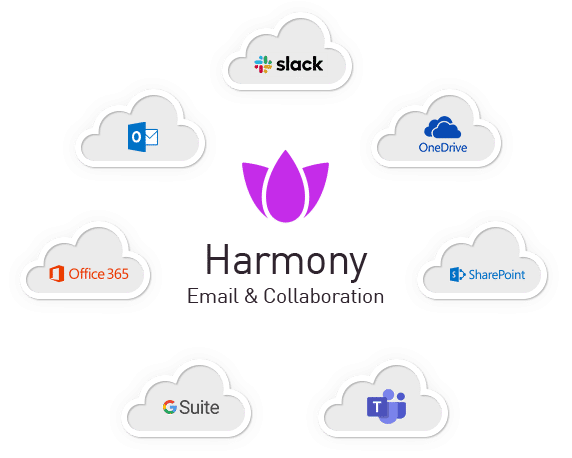
Abnormal Security sits on top of your existing email gateway. It’s a specialized layer. We think the old filters miss the new tricks.
It uses behavioral AI. The system learns how your people actually work, their relationships, their normal patterns. Then it spots the weird stuff. A payment request from the CEO that just feels off. A vendor email that’s slightly wrong. This isn’t scanning for malware; it’s spotting dishonest people.
The thing works across your apps. Email, sure. But also Slack, Teams, Zoom. Attacks don’t stay in one lane. According to our data, they hop channels. So the protection does too.
Deployment is stupid fast. It’s API-based, cloud-native. No MX record fiddling. It just plugs in. Then it watches in real time and can even pull a malicious email right out of an inbox after delivery. That’s a neat trick.
It also cleans up the bad stuff. Sanitizes sketchy attachments. Neutralizes nasty links. Looks for sensitive data flying out the door in a weird way.
Honestly, it’s for the attacks that slip past everything else. The BEC, the slick phishing, the account takeover. The human stuff. Your core gateway handles the bulk. Abnormal handles the clever.
4.Barracuda Email Security Gateway
The Barracuda Email Protection Gateway is the workhorse. It filters inbound and outbound messages, catching spam, malware, phishing attempts. It uses AI, sandboxing, impersonation protection. It comes as a cloud service, a virtual appliance, or a physical box.
For a cloud-first approach, Barracuda Essentials bundles the core gateway protection with other services. Encryption. Archiving. Continuity. It’s a tidy package for Microsoft 365 or Google Workspace.
Now, Barracuda sells other stuff. They’re separate products. They bolt on. Honestly, it gets a bit piecemeal.
Take Barracuda Backup. It’s exactly that: a backup product. A completely different management solution for data recovery. Then you have CloudGen Access, a ZTNA play for network access. And a separate Security Awareness Training platform for phishing simulations.
We think they’ve got solid, technical gateway filters. The other products? Maybe they fit your existing setup. According to our analysts, the integration is there but you’re buying a suite, not a singular vision. It’s a collection of tools, each with its own job.
5.Egress Intelligent Email Security

Egress Intelligent Email Security is built different. It watches both ways.
Most filters scan what’s coming in. Phishing, impersonation, the usual suspects. Egress does that. But its real trick is watching what goes out. According to our analysts, that’s where it gets clever. It uses contextual machine learning to understand how each person actually writes, who they talk to, what they send. Then it spots the anomalies. An employee accidentally attaching the wrong spreadsheet. A stressed rep sending sensitive data to the wrong Steve. This is the human-risk.
It’s a cloud-native platform, obviously. Integrated encryption is there, branded as Egress Protect. It secures the sensitive stuff on its way out.
Honestly, they’re aiming at regulated industries. Finance, healthcare, legal. Places where a simple oopsie becomes a compliance nightmare. The platform’s whole schtick is that external malware is only part of the problem. The other part is you and me, having a bad day. We think that focus is its entire identity. It’s not just a shield. It’s a conscience.
Comparison of the 5 The Best Email Security Software Solutions
To make the final decision, take a look at the brief comparison chart below.
Essential Criteria | Microsoft Defender for Office 365 | ProofpointEmail Protection | Check Point Harmony Email & Collaboration | Barracuda Email Security Gateway | Egress Intelligent Email Security |
|---|---|---|---|---|---|
| Threat Detection | High | High | High | Medium | High |
| Email Encryption | AES-256 | RSA-2048 | AES-256 | AES-256 | AES-256 |
| Data Loss Prevention (DLP) | Yes | Yes | Yes | Yes | Yes |
| Integration Capabilities | Office 365, Exchange | Salesforce, G Suite | Office 365, Exchange | Office 365, Exchange | Office 365, Exchange |
| Multi-Factor Authentication (MFA) | Yes | Yes | Yes | Yes | Yes |
| Scalability | High | High | High | Medium | High |
| Pricing | $5.00 per user per month | $5.86 per user per month | $1.00 per feature | $2.66 per user per month | £90 per year (for personal or business) |
| Customer Reviews | 4.5 | 4.5 | 4.7 | 4.5 | 4.6 |
How to Choose the Right Email Protection Software?

Evaluating email security requires a cold eye, a focus on the cracks in your own digital foundation. Don’t start with the shiny tools; start with the flaws. What’s actually biting you? Maybe it’s credential theft, maybe it’s a flood of malicious attachments your current system just waves through. According to our data, companies often buy a solution for a problem they don’t have while the real one bleeds them dry. Honestly, your first move is a ruthless audit of your own weak spots.
Then you look at the providers. Scrutinize their actual capabilities, not the brochure. Can their system do the specific thing you need it to do, not just the general thing everyone sells? Filtering, yes, but is it smart? Encryption, but is it a clunky mess that nobody will use? Put them side-by-side. See which one fits your tech stack like it belongs there, not like a square peg you have to hammer in. Think about tomorrow, too. Will this thing grow with you, or will it become an expensive anchor?
We think the final calculation is brutal arithmetic. What’s the total price of failure versus the cost of the guard? The right software isn’t an expense; it’s a bulwark. It lets business happen without that low-grade dread humming in the background of every email ping. Get this wrong, and you’re just hoping you get lucky.
Conclusion

Securing your email isn’t optional; it’s the whole ballgame. Whether you’re a five-person shop or a sprawling enterprise, the risk is the same. That inbox pipeline is a live wire carrying everything precious.
The wolves are at the door. They’ll drain accounts, impersonate your CEO with scary ease, poison your entire contact list. The aftermath is a graveyard of balance sheets and credibility.
We think the math is unforgiving. One slip, and the costs balloon while your hard-won trust evaporates. Honestly, nobody gets a pass. Staying sharp is your only real currency.
So, according to Simpalm, a software development company, email security services are key to stopping cyberattacks. These tools make sure that a company’s private info stays safe and away from any bad actors out there. Establishing comprehensive email security will allow for peace of mind of your business’s valuable data and keep your coworkers protected.
Our review cuts through the noise. We tore apart the top tools, pitting them against each other feature for feature, to give you a straight shot at picking the market leader that fits. No guesswork.
A proper platform changes the game. It shuts out the phishers, the ransomware jockeys, the spoofers. According to our analysts, companies with a serious setup just don’t get rattled the same way. Dowtime stays low. Business keeps humming along, cool, even when everything outside is chaos. That’s the real metric.