Open Source Email Services: Best Options and How to Choose
More organizations and regular folks are checking out open source email clients. The pitch is simple: why trust a black box with your messages?
Why is that? In this article, we’ll explore the benefits that open source offers over proprietary when it comes to email services and also introduce to you some excellent open source email clients that you can check out for yourself.
Let’s get started.
What is Open Source?
First, just what is “Open Source”?
Technically, open source means the software’s code is public. Anyone can look. That’s part of it, sure, but it’s kinda missing the point.
Think of it like a community workshop, not a retail store. It’s about collaboration, public building, and a shared goal of making something good for everyone. The software matters, but the process matters more. It’s transparent by default, which changes everything
Advantages of Open Source Email Services
Open source email services offer several advantages over their proprietary counterparts in any industry and email is no different.
So what’s the actual deal with choosing an open source email client or service over something like Outlook or Gmail?
Community
We’re not saying proprietary code is junk. Sometimes it’s brilliant.
But open source projects live or die by their community’s vibe. If a security flaw pops up, the public pressure to fix it is immediate and intense. There’s no hiding behind a support ticket. This pushes development fast, often way faster than in a corporate silo. That’s why most serious secure email services throw their code on GitHub. They’re asking for the community’s help, and its scrutiny.
Security
Since open source code is available to anyone, usually all developers have to do is go to Github and find the code there.
Here, they can review it, find any vulnerabilities and bugs in it and fix them. This would simply not be possible with proprietary solutions where a simple patch can take months to come out.
What this leads to are bug-free software and more secure emails.
Similarly, with modern research tools like an AI survey generator, professionals can quickly design secure, bias-free surveys that adapt to community feedback. This ensures faster iterations and stronger trust in the data collected.
The collaborative nature of open source development creates a global network of security-conscious developers who continuously audit code for potential threats, resulting in faster identification and resolution of security vulnerabilities compared to closed-source alternatives where only internal teams can review the codebase.
Freedom and Flexibility
Vendor lock-in stinks. A company can jack up prices, kill a product, or get bought and change everything.
Look at PGP. It started as a proprietary tool. Symantec bought it. But because an open standard, OpenPGP, was created by the community, end-to-end encryption didn’t become a walled garden. That freedom is everything. With an open source email client, you own your workflow. You’re not trapped.
Cost Efficiency
Let’s be clear: “open source” doesn’t always mean “free beer.” Services like Proton Mail or Tutanota have paid plans. The developers gotta eat.
But the model is different. There are usually no brutal licensing fees. The value comes from the service, hosting, and support, not from locking up the code itself. You often get a powerful tool for less cash, honestly. The customer wins.
Best Open Source Email Clients for Individuals and Enterprise
Next, let’s take a look at some of the best open source email clients that you can check out for both individuals and enterprises, including their main features and a brief description of each.
1. Mozilla Thunderbird
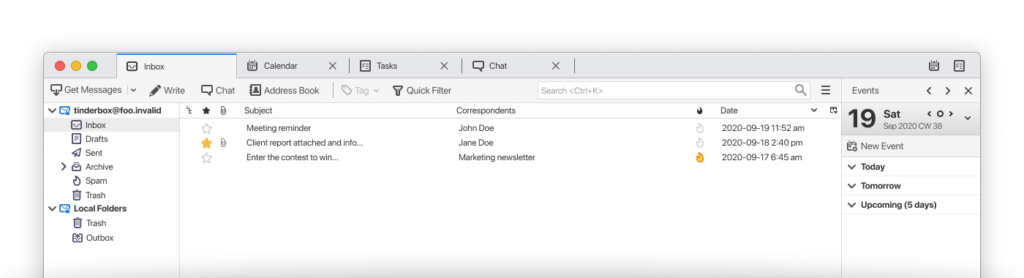
Mozilla Thunderbird is probably by far the most well-known open source email client software on the market and that is for a good reason.
This software offers a multitude of useful features as well as a simple user interface and the ability to maintain several mail accounts and view them all at once or one at a time. It is also compatible with the “big three” operating systems (Windows, macOS and Linux).
Main Features:
- Inbox Tab – Everything an email inbox is supposed to have, including: compose new email, draft email, reply, forward email, delete email, etc;
- Tasks – Have a task that you need to do? Just schedule it for a particular day and it will show up in your Calendar. Speaking of which;
- Calendar – Here you can see the Tasks you’ve scheduled as well as other important dates that you put in here;
- Search & Sort Email – Mozilla Thunderbird offers you several ways to search and sort your emails for better visibility. This includes: Standard Search (by keyword or phrase), Filter Search (by filtered emails) and Quick Filter (by contacts, attachments, tags, etc.);
- Offline Mode – Yes, you don’t need to be connected to the Internet to use this open source mail client. So for instance, if you’re worried about data breaches, you can turn on this mode;
- Chat – Sometimes a quick chat does a better job than sending an email, so Thunderbird also offers an in-built chat service.
2. Zimbra

Zimbra is an open source mail client software that works both online and in situations where the Internet connection is poor or there’s simply no Internet, offline mode.
In addition, unlike many open source email clients on this list, Zimbra works on all three big operating system platforms, Windows, macOS and Linux.
Main Features:
- Mail – Exactly what you would expect to find in this section. This houses all your necessary email tools such as inbox, outbox, trash, compose email, sent folder, drafts, etc;
- Calendar – Check your upcoming important dates, including tasks and events and schedule new ones;
- Tasks – Create new Tasks and add them to the Calendar for later viewing. Also, you can add a description for each Task;
- Offline Mode – No Internet or poor connection? Or maybe you want to disconnect from the network yourself to safeguard any personal information? Just use Offline Mode;
- Address B00k – Add senders along with their contact info here and access them quickly when you need to send emails to them;
- Local Folders – Save your important emails messages in a local folder and import or export them in a WinRAR format.
3. GNOME Evolution
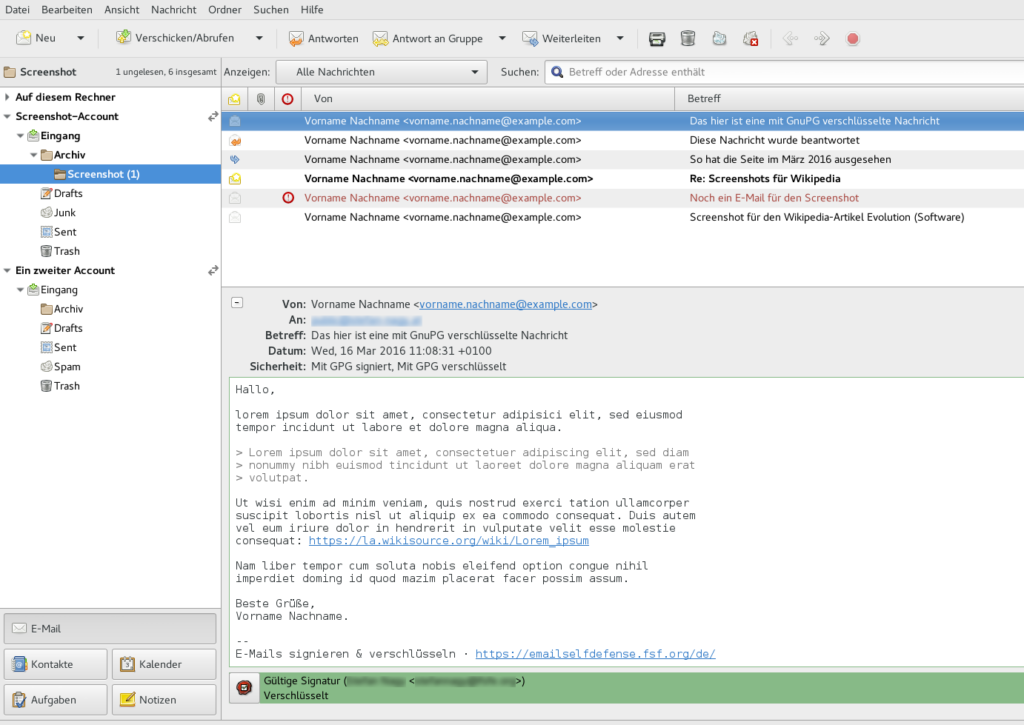
This is the Linux desktop’s all-in-one workhorse. Evolution is like if Outlook was open source and actually good. Mail, calendar, contacts, tasks. It’s deeply integrated into the GNOME environment and handles Exchange protocols without breaking a sweat. A serious tool for getting stuff done.
Main Features:
- Unified Suite: Single window for mail, calendar, contacts, memos;
- Exchange MAPI Support: Full compatibility with Microsoft Exchange servers;
- Offline Access: Full local caching for disconnected work;
- Advanced Search: Powerful, filter-driven search across all data types.
4. Interlink
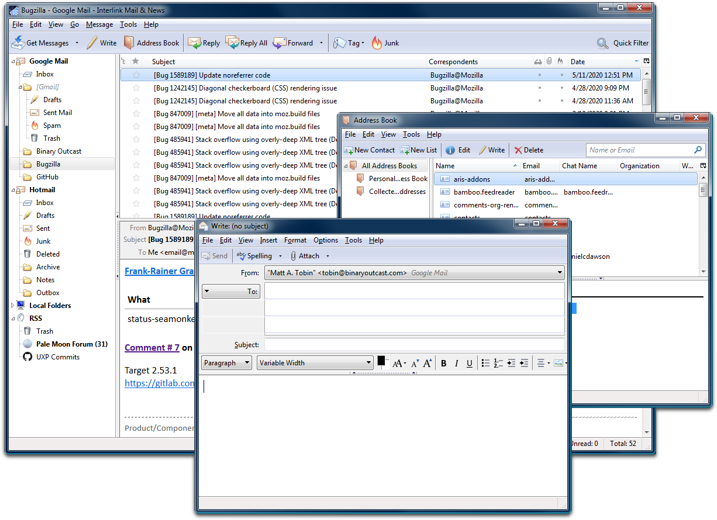
Interlink is a Mozilla-sourced community-based email client available for Windows and Linux that allows you to manage multiple accounts and access them from one place.
Main Features:
- Mail Tools Panel – This houses all the necessary tools to manage, create and view your emails, including: inbox, outbox, trash, drafts, sent emails, etc;
- Filter & Search – Like the names suggest, with filter you can filter your emails based on tags, attachments, contacts, etc, while search allows you to search your inbox using a specific keyword or phrase;
- Message – In this tab, you can compose, reply, forward to, tag, archive your emails;
- View – Here you can change the way your emails looks, including their layout, headers, zoom level, etc;
- Activity Manager – From here you can check your current and previous activities in your email client, such as downloaded or forwarded emails;
- Offline Mode – Turn this mode on if you want to disconnect the email client if you don’t have a secure Internet, without actually turning off the Internet itself.
5. KMail

KMail is the KDE equivalent. It’s often part of the Kontact suite, which bundles everything. It’s massively configurable, a bit geeky, and packed with features power users crave. If you like to tweak every single setting, this is your playground.
Main Features:
- Kontact Integration: Unified app with Akregator (RSS) and KOrganizer;
- Advanced Filtering: Create complex rule-based actions for incoming mail;
- GPG Integration: Built-in, seamless PGP/GPG encryption and signing;
- Customizable Layout: Drag, drop, and configure every toolbar and panel.
6. Claws Mail

Claws Mail is a very user-friendly open source email client that works on Windows and several Linux distros including Debian, Ubuntu and Fedora that allows you to perform all your email-related tasks and manage multiple mail accounts.
It started as a fork of Sylpheed (we’ll talk about it next) in 2005 (Sylpheed-Clas) and later changed the name to Claws Mail. Since 2020, both Claws Mail and Sylpheed are developed separately.
Main Features:
- Side Tools Panel – From here you can quickly access your inbox, drafts, trash, sent mail for one or all your email accounts;
- Filters – This allows you to filter your emails by keyword, phrase, date, name, etc;
- Message – Here you can compose new email, forward email, reply to email, delete emails and so on;
- View – Change the way your email software looks by turning fullscreen off/on, expanding or hiding all threads, showing all headers, etc;
- Offline Mode – Disconnect the email client from the Internet and prevent synchronization with the email service provider if you don’t have a secure Internet connection.
7. Sylpheed
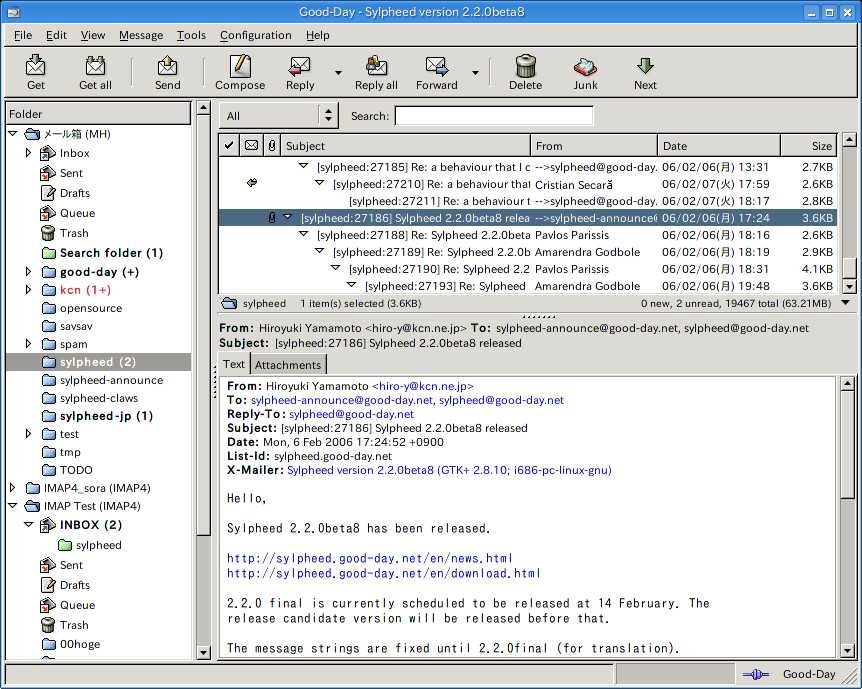
Sylpheed is an open source email client for Windows, macOS, Linux and Unix that includes all the necessary features to manage your email. However, this mail client doesn’t support graphics and the UI is a bit dated.
Main Features:
- Email Tools Panel – Access the inbox, drafts, trash, sent mail, etc. from this panel;
- Message – compose, reply to, forward your emails and select to which email account you want to receive messages;
- Get All – Receive all your emails of all your mail accounts from one place;
- Address Book – manage, store and retrieve your email contacts;
- Delete Duplicate Messages – This useful feature allows you to find and remove all duplicate emails easily;
- Import/Export Mail Data – Here you can import or export your email data in UNIX Mbox, DBX or EML formats.
8. Roundcube
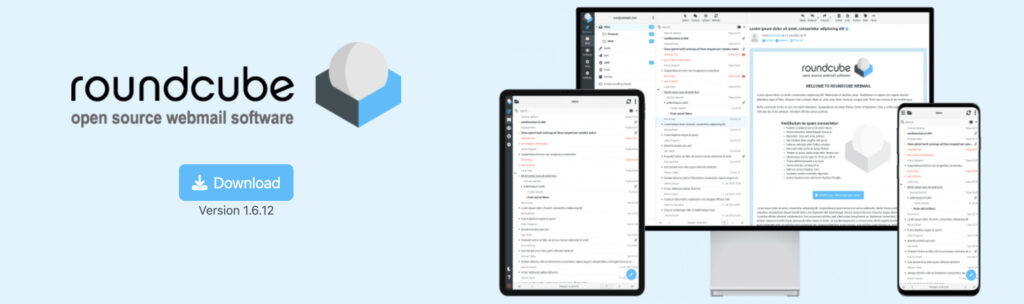
This one’s different. Roundcube is a webmail client. You install it on your own server, point a browser at it, and boom. You have a sleek, modern web interface for your email. It’s the go-to for self-hosters who want a better front-end than what their hosting panel provides. Huge plugin ecosystem.
Main Features:
- Plugin Architecture: Add calendar, OTP login, custom skins, anything;
- Drag-and-Drop Interface: Manage folders and attachments by dragging;
- MIME Support: Displays complex HTML mail correctly;
- Responsive Skin: Works well on desktop browsers and mobile screens.
9. RainLoop

This is a modern webmail client. RainLoop is known for its speed and clean UI. Install it on your server for a fast, streamlined web interface. It feels snappier than many heavyweight options.
Main Features:
Modern UI: Card-based design, clean layout;
Lightweight: Fast load times even on slow connections;
Drag-and-Drop: Upload attachments by dragging files;
Security Focus: Built-in support for two-factor authentication.
10. SnappyMail
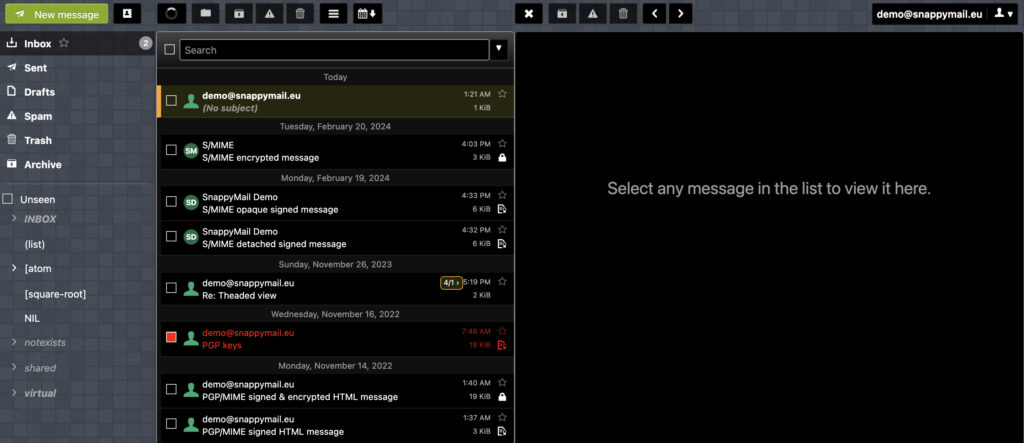
SnappyMail is an active, performance-focused fork of RainLoop. Both are great for slapping a nice web interface on your mail server. According to our data, SnappyMail is gaining fans for its active development and extra polish.
Main Features:
- Performance: Optimized to be faster than its predecessor;
- Active Development: Regular updates with new features and fixes;
- Modern Standards: Full support for JMAP protocol (the potential successor to IMAP);
- Plugin System: Extend functionality without bloat.
11. Cypht
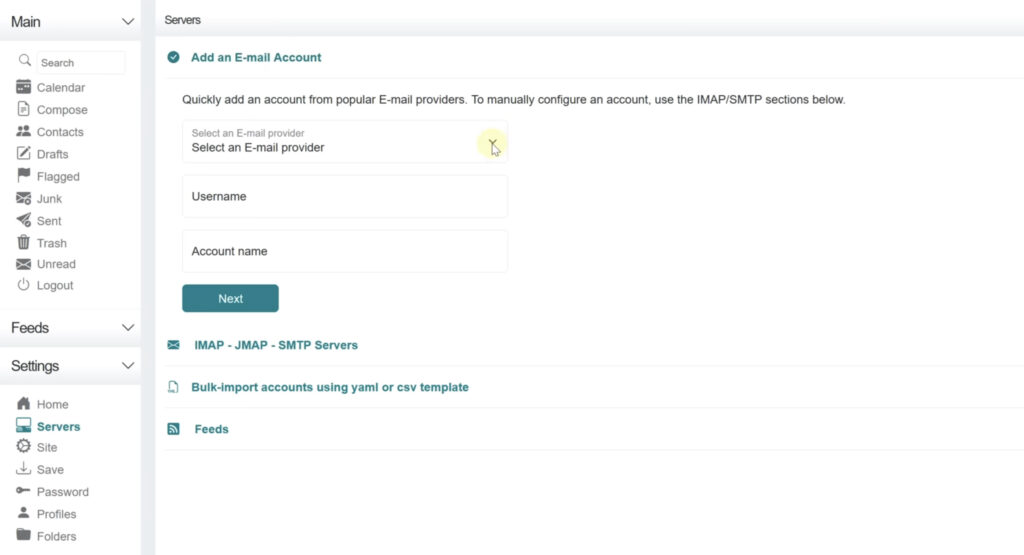
Cypht is weird in a good way. It’s a hybrid webmail client that can aggregate feeds from multiple email accounts, RSS, and even social media into one streamlined “unified inbox” view. It’s for the information omnivore who hates switching tabs.
Main Features:
- Unified Inbox: Combines email, RSS feeds, and social updates;
- Module System: Enable or disable entire feature sets;
- No JavaScript Mode: A rare web app that works fully with JS disabled;
- Profiles: Configure unique settings for different use cases or users.
Looking for a Secure Email Service with End-to-End Encryption?
Open source email services are becoming increasingly popular and more and more are choosing them over proprietary email providers and clients for both business and personal usage.
CTemplar is a private email service that offers 100% audited and open-sourced code and protects user data with the top-of-the-class public key and private key combination, as well as two-factor authentication and spam protection.
We use PGP end-to-end encryption for the best protection of your email user data from third parties. In addition, our mail servers are located in Iceland, which has the best privacy laws in Europe.
We also recently released the code for our mobile apps as open source and you can check it here. This includes both mobile apps for iPhone and Android devices.
Looking for a secure end-to-end encrypted email service to protect your privacy that just so happens to be open-source? Try CTemplar and protect your privacy!